
spillA2
derramar accidentalmente
He spilled his juice.
Él derramó su jugo.
Add to learningAddedAndroid app · Coming soon to Google Play
Every card pairs an English word with its own artwork, a real example sentence and the meaning in your language. Add the words you want to keep, and short reviews bring them back just before you would forget them.
derramar accidentalmente
He spilled his juice.
Él derramó su jugo.
Add to learningAdded
acogedor
This room feels cozy.
Esta habitación se siente acogedora.
Add to learningAdded
viaje
The journey took three hours.
El viaje tomó tres horas.
Add to learningAdded
curioso/a
The curious cat looked inside the box.
El gato curioso miró dentro de la caja.
Add to learningAdded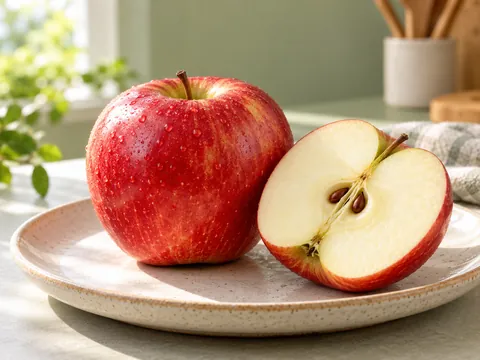
manzana
I eat an apple every day.
Como una manzana todos los días.
Add to learningAdded
sereno, tranquilo
The lake looked serene at dawn.
El lago se veía sereno al amanecer.
Add to learningAddedOne word, your language
Every word comes with a short meaning and translated example sentences in 12 languages. Translations are prepared with AI help and go through editorial review.
How it works
Discover words in the feed, keep the ones you like and review them when it is time. That is the whole routine.
Step 1
Every swipe brings a new word: its picture, the meaning in your language and a real example sentence. A short flick is all it takes.
Step 2
Every word and every example sentence has its own voice. Tap the speaker as often as you like. The voices are AI-generated, and the app tells you so.
Try it here:
Step 3
Scrolling past a card does not count as learning. Tap “Add to learning” or double-tap the picture, and the word joins your review plan.
Step 4
The words you add come back in four short games. Your answers decide when each word returns, so there is nothing to grade yourself.
Try it
This is how review works inside the app. Three of the four games are here, with real words, real pictures and real voices.
On this page, meanings appear in Spanish as an example. In the app, they appear in your language.
Listen and tap the picture
Round 1 of 3
Play the word, then tap its picture.
Smart spacing
Remember a word, and it moves up a rung and comes back less often. Forget it, and it simply starts again from 10 minutes.
serene
Rung 0/7
Learned
Next review in 10 minutes
The word climbs one rung and waits longer before its next review.
It goes back to 10 minutes and climbs again. Forgetting is part of the plan.
You choose how many new words start each day. Even if you add a lot, they do not all arrive at once.
Features
Gentle reminders, a streak worth keeping and tools that respect your time and your data.
A new illustrated word arrives at a time you choose. Notifications stay gentle: at most two a day, and never between 22:00 and 09:30.
Add a word or finish a review, and the day counts.
Hear each word and all three of its example sentences. The voices are AI-generated.
Look up a word in English or in your own language.
Group words your way, then send a collection to a friend with a link.
Recent cards stay on your phone, and what you do offline syncs when you are back online.
No account needed to begin. When you want to keep your progress across devices, sign in with Google or email.
Export your data or delete your account right inside the app. The app contains no advertising or analytics tools.
Artwork
Clay, watercolour, paper-cut, macro photography, 3D: each meaning gets a picture made just for it, with no text inside. Tap the speaker to hear the word.
On this page, meanings appear in Spanish as an example. In the app, they appear in your language.
spillderramar accidentalmente
serenesereno, tranquilo
applemanzana
curiouscurioso/a
 chairsilla
journeyviaje
chairsilla
journeyviaje
 wateragua
cozyacogedor
wateragua
cozyacogedor
 happyfeliz
 fragilefrágil
 breadpan
 lightluz
 walkcaminar
 lightligero
 coldfrío
 booklibro
 drinkbeber
 doorpuerta
12 languages
Choose your language when you start. The whole app, every meaning and every sentence translation appear in it, and Arabic reads right to left.
Translations are AI-assisted, with editorial review.
Español
viaje
The journey took three hours.
El viaje tomó tres horas.
Not yet. We are getting it ready for Google Play. When it launches, the “Coming soon” buttons on this site will turn into real download links.
Android phones running Android 8.0 or newer. There is no iPhone or web version at the moment.
No. You can start as a guest right away. If you want to keep your progress on another device, sign in with Google or email. You can export your data or delete your account inside the app at any time.
Blungie is a growing library. Every word comes with its own artwork, AI voice, three example sentences and meanings in 12 languages, and we keep adding more.
Blungie is coming soon to Google Play, for Android 8.0 and newer.